build notes · native macOS · productivity
Blokd
A daily plan, one click from the menu bar.
Abdul Wahab · Islamabad, Pakistan
the problem
A task list says what needs doing, but leaves the time for doing it undefined.
my part in the build
Built a native macOS time-blocking application with Swift and SwiftUI.
My work covers draggable time blocks, recurring schedules, productivity heatmaps, and local storage in a menu-bar application.
how it fits together
The main flow, from input to something useful.
- 01
Open the timeline
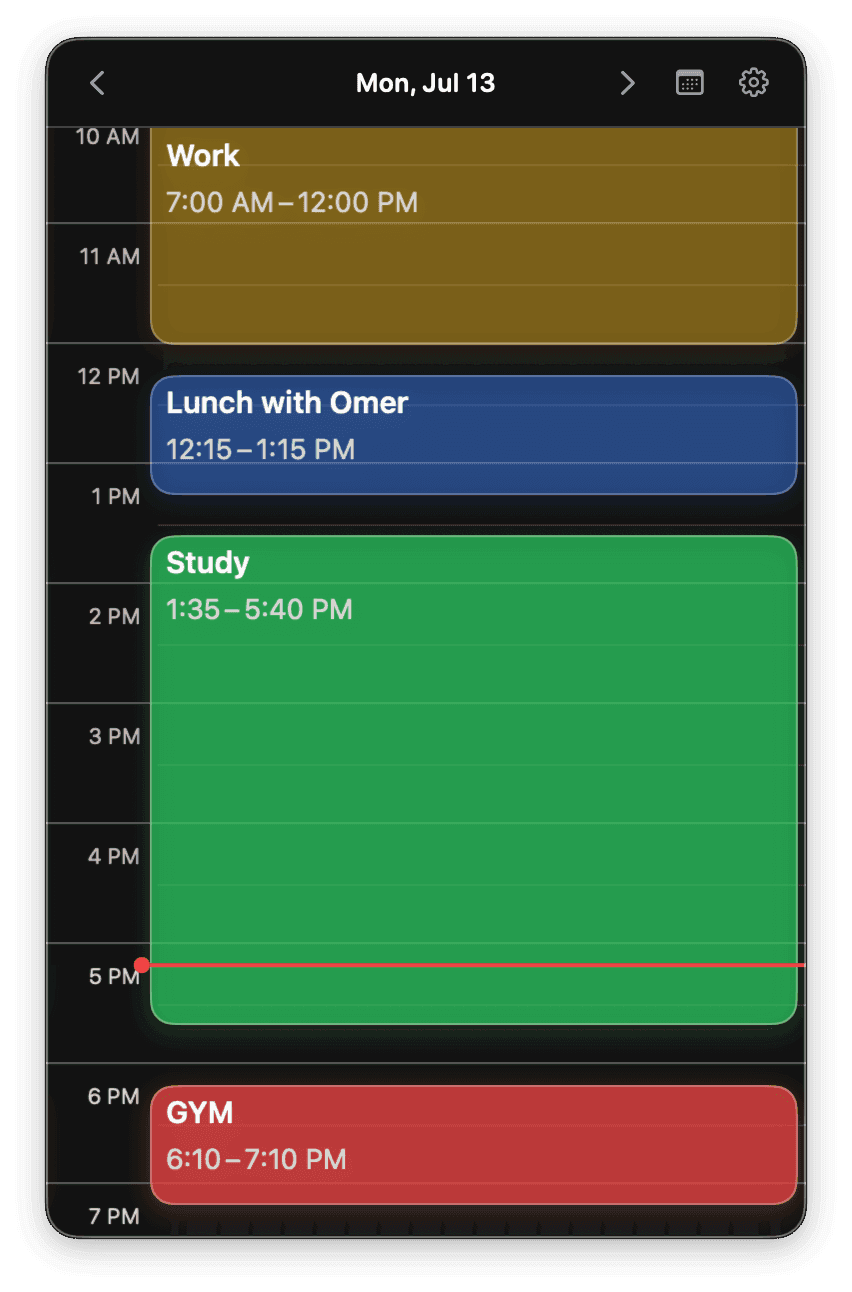
A menu-bar popover puts the day's schedule within reach.
- 02
Block out the work
Drag to create or resize a time block, then set repeating schedules for recurring work.
- 03
Keep it local
Schedule data stays on the Mac; a productivity heatmap shows time allocated across the month.
a few decisions behind the interface
- Use a native surface
- Swift and SwiftUI support a macOS application whose daily timeline lives in the menu bar. The main interaction is opening a popover rather than managing a separate app window.
- Store the schedule on the device
- Blokd's public site describes offline storage with no account or cloud sync. That makes the schedule available locally and keeps the product's storage model straightforward.
what changed, and what you can check
The public site demonstrates the daily timeline, recurring blocks, and monthly heatmap. As of October 10, 2026, it invites visitors to a waitlist for a future Mac App Store release.
The public product page shows interface images and describes the local-storage model. Its waitlist documents the current release status.
View the public source ↗