HTTP caching and stale responses
Clearing your browser cache removes saved responses, so the next request can fetch a newer version. It does not change the server or clear a CDN's cache. If your browser shows an old page while a friend sees the update, the difference may be in which cached response each browser can reuse.
Fresh and stale responses
A simplified web cache with a 60-second freshness lifetime.
The cache holds version 1. Publish an update to start.
A saved copy with permission to reuse it
Imagine copying a café menu into your notebook. Checking the notebook is quicker than walking back to the counter. The trade-off is that the café might change its menu while your copy stays the same.
An HTTP (Hypertext Transfer Protocol) cache keeps a response so a later request can reuse it. A browser cache lives on your device. A shared cache, such as a content delivery network (CDN), can serve many visitors. Reuse can avoid a request to the origin server. MDN explains the different cache layers.
The cache needs a rule for how long it can reuse a saved copy. Without one, visitors can receive confusing answers.
A fresh response can differ from the server
HTTP/1.1 200 OK
Cache-Control: max-age=60
ETag: "menu-v1"
Here, max-age=60 gives the response a freshness lifetime of 60 seconds. During that time, an ordinary request can reuse the stored response. If the café changes its menu after ten seconds, the saved copy can still count as fresh under this rule.
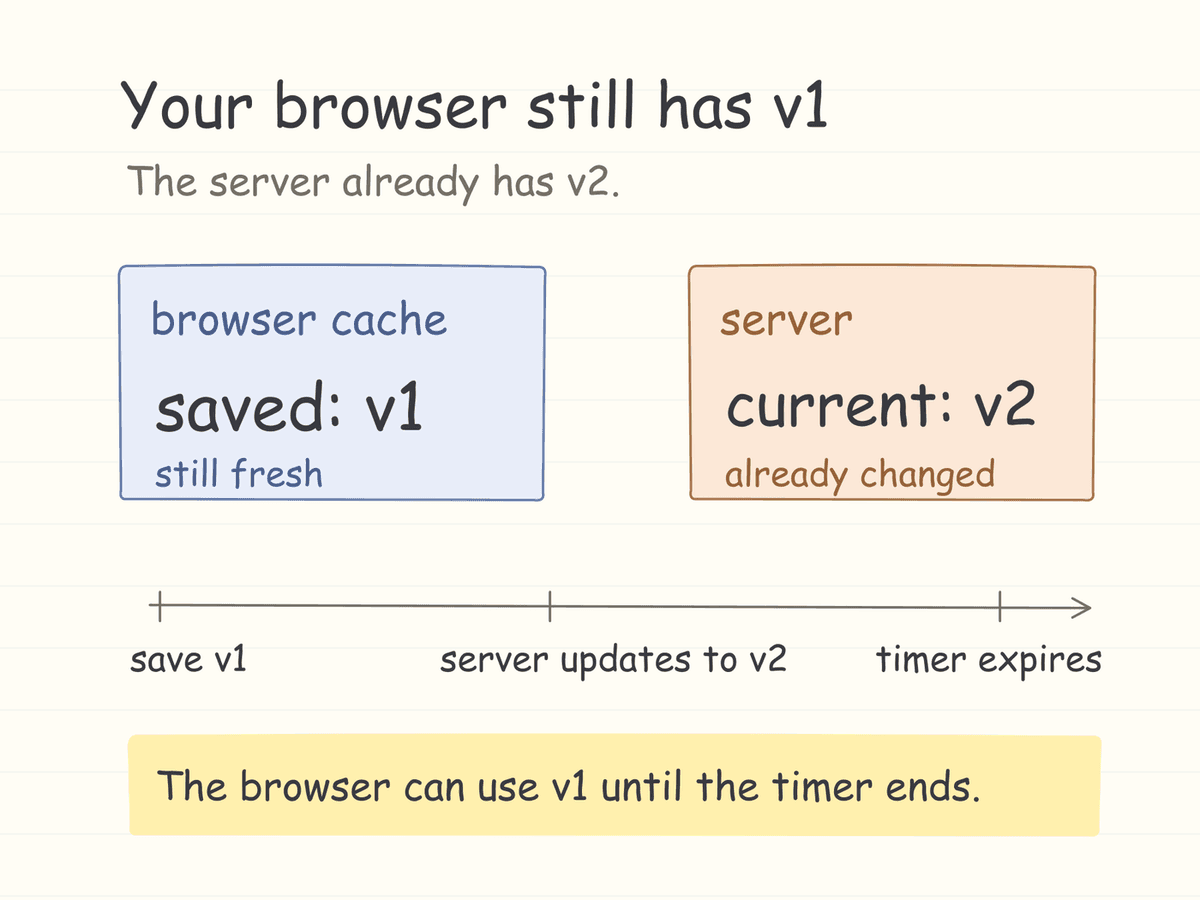
Once the response is stale, the cache needs another way to decide whether it can reuse it. In this example, it asks the server to validate its copy. The Cache-Control reference explains the headers.
Revalidating a saved response
The server supplies a version identifier called an ETag. The client can send its saved identifier in an If-None-Match request header. If the identifier still matches, the server can answer 304 Not Modified without sending the response body again. If it differs, the server returns the new representation. ETag reference.
GET /menu HTTP/1.1
If-None-Match: "menu-v1"

# If the server still has menu-v1:
HTTP/1.1 304 Not Modified
The cache checks for an update and can still reuse the bytes it already downloaded. To see this in the sketch, request an expired copy without publishing an update.
Clearing the browser cache
After you remove the saved response from your browser, its next request cannot use that local copy. This can reveal a newer version. It does not automatically empty the cache in a CDN or an application. Those are separate layers.
Which cache supplied the response? Inspect the request in the Network panel of your browser. Check the response headers. Compare a normal load with one that bypasses the browser cache. MDN covers reloads and stored responses.
Suppose three colleagues see different versions. Record who saw each version and when. Then inspect the cache headers. That timeline can make the freshness rule easier to understand.
Three rules worth recognizing
| Directive | Meaning |
|---|---|
max-age=60 | Allow reuse while the response is fresh for 60 seconds. |
no-cache | Allow storage. Validate before reuse. |
no-store | Do not store the response in an HTTP cache. |
Despite its name, no-cache permits storage. It requires validation before reuse. no-store prevents storage. These directives control HTTP caching. An application can also manage separate caches. Cache-Control reference.
For practice, open the Network panel on any public page. Select one document and one image. Compare their caching headers. Would you accept the same freshness lifetime for both resources? Explain your choice.
leave a note